

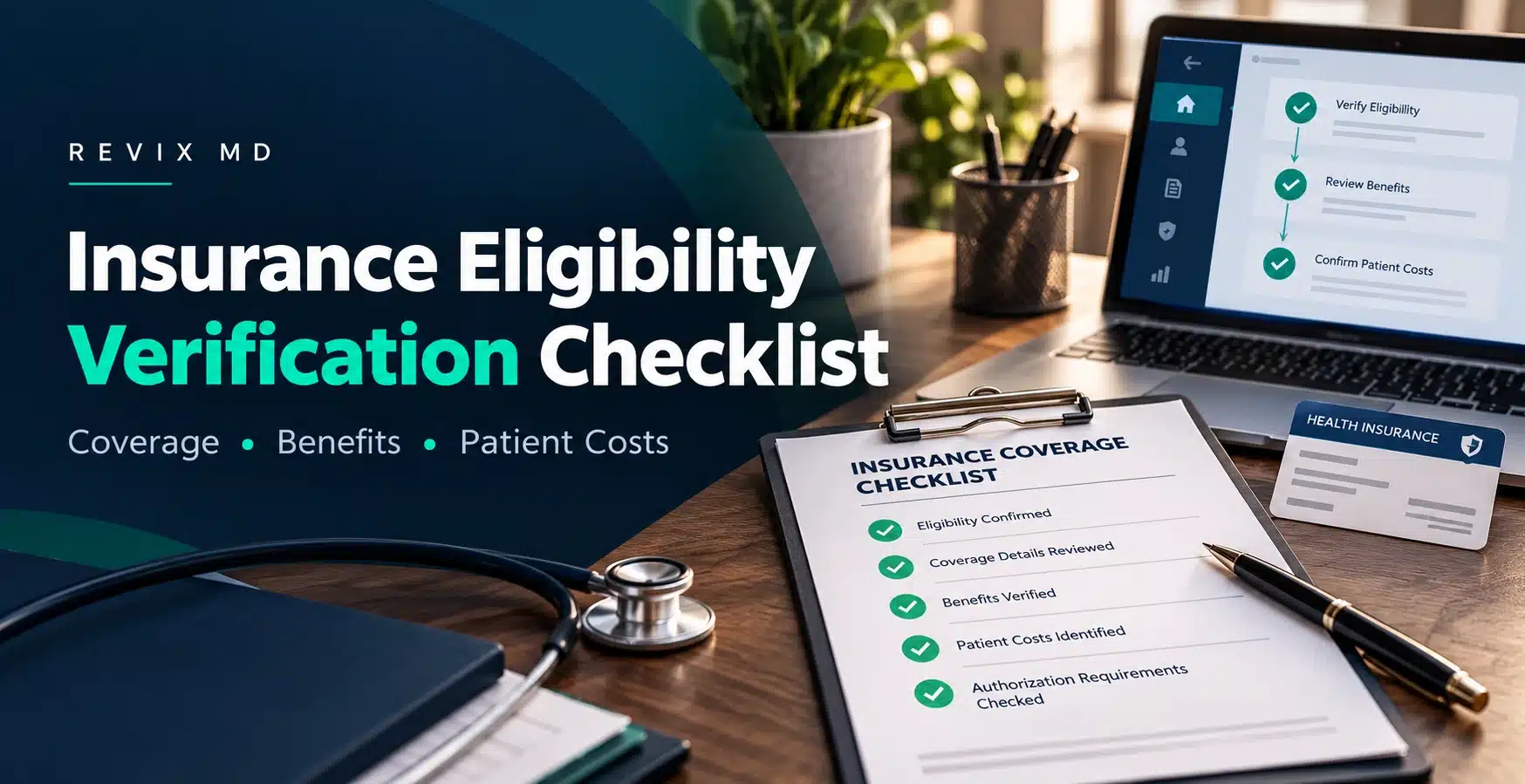
Many practices stop at one question: "Is the policy active?" That is only step one. An active plan can still be out of network for your provider. It might require prior authorization. It might cap visits or leave the patient with a big deductible.
Miss those details and you get a denied claim, a surprised patient and hours of extra work for your billing team.
This guide gives you a practical checklist you can put to use right away. You will also find a quick-reference table, a documentation template and answers to common questions.
What Is Insurance Eligibility Verification?
Insurance eligibility verification means confirming a patient’s active coverage, benefits, costs and service rules before you provide care.
Benefits verification goes a level deeper. It shows what the plan covers, what the patient must pay and which rules apply. Most practices verify benefits when the appointment is scheduled, check again before the visit and confirm once more at check-in. The front desk or billing team usually handles this.
There are three common ways to do it:
- Electronic checks. Your practice management system sends a 270 eligibility inquiry, and the payer sends back a 271 response. Under HIPAA, HHS adopted the ASC X12 Version 5010 270/271 transactions as the standard for health plan eligibility and benefit inquiries and responses, as CMS explains in its eligibility and benefits transaction basics.
- Payer portals. Staff log in to the insurer’s website and look up the patient.
- Phone calls. Staff call the insurer directly. It is slower, but sometimes it is the only way to confirm details for complex services.
Whatever method you use, record the results in the patient’s file.
Why Insurance Eligibility Verification Matters
Verification takes a few minutes. Fixing a missed detail can take weeks. Here is where the payoff shows up.
- It helps prevent avoidable denials. Many denials start with simple front-end problems: inactive policies, typos in the member ID, the wrong payer on file or a missed benefit requirement. A quick check before the visit catches these while you can still fix them.
- It gives patients better cost estimates. Patients often mix up copays, deductibles and coinsurance. When you know where they stand on each, you can give a real estimate at the visit instead of a vague “we will bill you.”
- It cuts billing rework. Clean data up front means fewer corrected claims, fewer payer calls and fewer resubmissions. Your billing team can focus on real exceptions.
- It improves the patient experience. Nobody likes opening a bill that is far bigger than expected. Patients who understand their costs ahead of time trust you more, and they tend to pay faster.
- It helps you bill the right payer. If a patient has more than one plan, sending the claim to the wrong insurer first causes delays. Coordination of benefits (COB) is what determines which plan pays first, and verification is where you sort that out. For Medicare patients, CMS relies on providers to ask about other primary coverage and report it when filing claims.
Complete Insurance Eligibility Verification Checklist
Work through these items in order. They cover nearly everything that trips practices up. Before you start, have these ready:
Item
Why it matters
Insurance card (front and back)
Shows payer, ID and phone numbers
Photo ID
Confirms the patient matches the policy
Scheduled date of service
Coverage is checked against this date
Planned CPT codes or service type
Benefits vary by service
Payer portal or clearinghouse login
Speeds up the electronic check
1. Confirm the Patient's Personal Information
Verify the patient's full legal name and date of birth. Add the address if the payer requires it. Confirm the subscriber's name and the patient's relationship to the subscriber.
Everything must match the payer's record exactly. A nickname instead of a legal name can trigger a rejection. So can a flipped birth date.
2. Collect Current Insurance Information
Record the insurance company, member ID, group number, plan name, subscriber ID, policyholder name and effective date.
Scan both sides of the card. The back often lists the claims address and the provider services phone number.
3. Confirm That Coverage Is Active
Check the coverage status, effective date and termination date. Then compare those dates to the scheduled date of service, not to today's date.
One rule saves a lot of trouble: never assume coverage from a past visit is still active. Jobs change. Plans renew. Premiums go unpaid.
4. Verify the Practice and Provider Are In Network
Check network status for your practice, the rendering provider and the facility if care happens somewhere else. Some plans use tiered or plan-specific networks, so a provider can be in network for one product and out of network for another.
Active coverage is not the same as in-network coverage. Patients mix these up all the time, and so do practices. An active plan with an out-of-network provider can mean much higher costs or no payment at all.
5. Verify Benefits for the Planned Service
Now look at what the plan covers for the specific service. Depending on your specialty, that may include:
- Office and specialist visits
- Diagnostic testing and lab services
- Imaging
- Procedures
- Therapy
- Telehealth
- Preventive services
- Durable medical equipment
A lot of this can be pulled electronically. Under the CAQH CORE Operating Rules, which include the federally mandated Eligibility & Benefits rules, health plans are required to respond to real-time eligibility inquiries with patient financial details. That is why a good 271 response can answer many of these questions without a phone call.
6. Check the Patient's Copay
Copays are not one flat number. A primary care visit, specialist visit, urgent care visit, telehealth visit and procedure can all have different copays.
Verify the amount for the service being scheduled, then tell the patient what to expect at check-in.
7. Verify Deductible Information
Check the annual deductible, how much the patient has met and how much is left. Also confirm whether the plan has separate individual and family deductibles.
Here is a simple example:
- Annual deductible: $1,500
- Met so far: $900
- Remaining: $600
8. Verify Coinsurance
Find the patient's coinsurance percentage and the plan's share. Then confirm whether coinsurance applies before or after the deductible is met.
A common setup: the insurer pays 80% after the deductible and the patient pays the other 20%.
9. Check the Out-of-Pocket Maximum
The out-of-pocket maximum is the most a patient pays in a plan year for covered, in-network care. Verify the annual limit, the amount used so far and the amount remaining.
Don't confuse this with the deductible. The deductible is what the patient pays before the plan starts sharing costs. The out-of-pocket maximum is the ceiling on total cost sharing. Patients mix these up constantly, and a clear explanation from your staff goes a long way.
10. Determine Whether Prior Authorization Is Required
Confirm whether the service needs approval in advance. If it does, record:
- The authorization number
- The approved dates
- The number of approved visits
- The approved CPT or procedure codes
Here is the key point: eligibility verification does not mean a service is authorized. A patient can have active coverage and still get denied because nobody got approval.
11. Check Referral Requirements
Some plans, especially HMO-style plans, require a referral from the primary care provider. Check whether one is needed. Then note who issued it, which specialist it covers, the effective dates, the number of visits allowed and the referral number.
12. Check Coverage Limitations and Exclusions
Plans often limit what they will pay for. Look for:
- Visit limits
- Frequency limits
- Age restrictions
- Diagnosis restrictions
- Excluded services
- Waiting periods
- Medical necessity requirements
These limits rarely appear on the card, but they often decide whether a claim gets paid.
13. Verify Coordination of Benefits
Ask whether the patient has other coverage. That could be a secondary plan, Medicare, employer coverage, workers' compensation or auto or no-fault coverage.
Getting the payer order right the first time prevents denials and re-billing. This matters even more with Medicare. CMS explains that when its systems show other insurance is primary, Medicare will deny the claim and direct the provider to bill the correct payer.
14. Estimate Patient Financial Responsibility
Use what you have gathered to build an estimate:
Estimated Patient Responsibility = Applicable Copay + Deductible Applied to the Service + Applicable Coinsurance + Known Non-Covered Amounts
A patient's entire remaining annual deductible is not automatically owed for a single visit. Only the portion of the allowed amount that the plan applies to the deductible counts toward that encounter. Coinsurance then applies to whatever allowed amount is left, based on the plan's rules. Whenever you can, use the payer's allowed amount and benefit details rather than the billed charge.
Here is a quick example, assuming no copay applies:
- Allowed amount for the service: $500
- Remaining deductible: $200
- Coinsurance: 20%
The deductible portion is $200. Coinsurance applies to the remaining $300, which comes to $60. The estimated patient responsibility is $260.
An estimate is not a promise of payment. The insurer can still adjust the final amount when it processes the claim, so always say "estimated" when you talk to the patient.
15. Document the Eligibility Verification
If it is not written down, it did not happen. Record the verification date, payer, method and reference or transaction number. If you called, add the representative's name. Then add the coverage dates, copay, deductible, coinsurance, authorization and referral requirements and any notes on limits.
Good documentation is also your best defense if a payer later disputes what it told you.
Insurance Eligibility Verification Checklist at a Glance
Print this table and keep it near the front desk.
Verification Item
What to Check
Patient demographics
Name, DOB, subscriber details
Insurance information
Member ID, group, plan
Coverage status
Active/inactive, effective dates
Network status
Practice and provider participation
Service benefits
Coverage for the planned service
Copay
Amount by service type
Deductible
Total, met, remaining
Coinsurance
Patient percentage
Out-of-pocket max
Used and remaining
Prior authorization
Requirement and approval
Referral
PCP or specialist requirements
Limitations
Visits, exclusions, restrictions
COB
Primary and secondary payer
Patient estimate
Expected responsibility
Documentation
Verification details recorded
When Should Medical Practices Verify Insurance Eligibility?
Timing matters as much as the checklist. Coverage can change between booking and the visit, so one early check is not enough.
- At scheduling. Capture insurance details as soon as the appointment is booked. Early information gives you time to fix problems.
- 24 to 72 hours before the appointment. Run the check again. This is the best window to confirm benefits for the specific service, and you still have time to reach the patient.
- At check-in. Ask if anything has changed. A new card or a new employer is easy to catch at the counter and costly to catch after billing.
- Before high-cost procedures. Do a deeper review of benefits and authorization, then recheck closer to the date of service.
- Whenever a patient reports a change. Update the payer record right away. A new plan can change which insurer pays first.
Checklist by Appointment Stage
Some teams prefer to think in stages instead of working down one long list. Here is the same work, organized by timing.
- Before scheduling: Confirm demographics, insurance details and general eligibility.
- Before the appointment: Confirm active status, network participation, service benefits, cost sharing, and authorization and referral requirements.
- At check-in: Ask about insurance changes. Collect an updated card if needed. Review the patient's expected costs.
- After verification: Document your findings and update the PMS or EHR. Send unresolved issues to billing. Let the patient know if anything affects their costs.
Common Insurance Eligibility Verification Mistakes
Most errors come from a short list of habits. Watch for these.
- Assuming active coverage means the service is covered. Active only means the policy exists. Your service may be limited or excluded.
- Not checking the exact date of service. A policy that is active today may have ended before the visit, or it may not start until next week.
- Ignoring provider network status. Practice participation and individual provider participation can differ.
- Checking benefits but forgetting prior authorization. Benefits and approval are two separate questions.
- Missing secondary insurance. If you never ask, you may never find out. The primary payer's explanation of benefits won't always tell you.
- Using outdated insurance information. Old cards on file cause avoidable rejections.
- Not documenting the verification. Without a reference number or a name, you have little to stand on in a dispute.
- Treating the portal response as a payment guarantee. A portal shows information at that moment. It is not a promise to pay the claim.
- Skipping service-specific limits. Visit caps and frequency limits catch practices off guard. This is common with therapy and repeat procedures.
- Mixing up deductible, copay and coinsurance. That leads to bad estimates and unhappy patients.
Manual vs. Automated Insurance Eligibility Verification
Both approaches have a place. The right mix depends on your volume and payer mix.
Factor
Manual Verification
Automated Verification
Speed
Slower
Faster
Staff workload
Higher
Lower
Batch checks
Difficult
Often available
Human review
High
Still needed for exceptions
Real-time checks
Depends on payer
Often supported
Documentation
Manual
Can be integrated
Scalability
Limited
Better
Automation saves time, but it does not remove every error. Odd payer responses, missing data and complex plans still need a person to review them.
Best Practices for Accurate Eligibility Verification
A checklist works best when your daily habits support it.
- Verify before every relevant visit, not just the first one.
- Use current insurance cards. Ask for a new scan each plan year.
- Match demographics exactly to what the payer has on file.
- Check deductible and coinsurance separately so estimates stay accurate.
- Confirm network status for both the practice and the rendering provider.
- Identify the primary payer whenever a patient has more than one plan.
- Train staff on the quirks of your top payers. Each one handles verification a little differently.
- Use a standard checklist so results don’t depend on who is working that day.
- Recheck high-value procedures closer to the date of service.
A checklist only works if your team has the time to follow it on every patient, every visit. Revix MD provides medical billing services in the U.S. and helps practices stay on top of insurance eligibility, benefits and authorization details, so claims start clean and denials drop.
What Information Should Be Documented After Verification?
A reusable template keeps every verification consistent. Copy this into your practice management system or EHR.
- Patient:
- Payer:
- Member ID:
- Coverage Status: Active / Inactive
- Effective Date:
- Provider Network Status:
- Service Covered:
- Copay:
- Deductible:
- Deductible Remaining:
- Coinsurance:
- Out-of-Pocket Remaining:
- Authorization Required: Yes / No
- Referral Required: Yes / No
- Primary/Secondary Payer:
- Verification Date:
- Verification Method:
- Reference Number:
- Notes:
Make this part of your standard scheduling and pre-visit workflow. Don't treat it as an extra task for when someone has time.
Need Help With Eligibility Verification?
If your team is stretched thin or you are seeing too many front-end denials, Revix MD can help. We support practices with accurate eligibility and benefits verification, along with billing and denial management, so claims start clean and your staff can focus on patients. Talk to our experts to see where your front-end process can improve.
Frequently Asked Questions
What information is needed to verify insurance eligibility?
You need the patient's full name and date of birth, the insurer's name, the member ID and the group number. The subscriber's details and the planned date of service also help. Having the card on hand makes the process faster and more accurate.
How often should a practice verify patient insurance?
Verify at scheduling, again 24 to 72 hours before the visit and at check-in. For patients in ongoing treatment, recheck at the start of each month and each new plan year, since coverage and deductibles can reset.
Does active insurance mean a procedure is covered?
No. Active coverage only means the policy is in force. The procedure still has to be a covered benefit, it must meet medical necessity rules and it sometimes needs prior authorization. Always verify benefits for the specific service.
What is the difference between eligibility and benefits verification?
Eligibility confirms the patient has active coverage on the date of service. Benefits verification explains what that coverage pays for, including copays, deductibles, coinsurance, limits and authorization rules. You need both to estimate costs and bill accurately.
What is a 270/271 eligibility transaction?
It is a standard electronic exchange. Your practice sends a 270 inquiry to the payer, and the payer replies with a 271 response that has coverage and benefit details. HHS adopted this format as the HIPAA standard for eligibility transactions, and you can read more in CMS's overview of eligibility and benefits transactions. It lets you check eligibility without calling the insurer.
Does eligibility verification confirm prior authorization?
No. Eligibility shows whether the patient has coverage. Authorization is a separate approval for a specific service. Check authorization requirements on their own, and record the approval number and approved dates before the service happens.
Can insurance eligibility be checked before an appointment?
Yes, and it should be. Most payers allow checks well in advance through portals or electronic transactions. Checking early gives you time to fix information, request authorizations and tell patients what they will likely owe.
What should staff do if insurance can't be verified?
Try another method, like the payer portal or a phone call. Make sure the patient's details match the card. If it still fails, contact the patient for updated information and document every attempt. Then talk through payment options before the visit.
Does insurance verification guarantee claim payment?
No. Verification reflects what was available when you checked. The insurer can still deny or adjust a claim because of medical necessity, coding, timely filing or coverage changes. Think of verification as lowering risk, not guaranteeing payment.